Only a single character can crash your iPhone and block access to the Messaging app in iOS as well as popular apps like WhatsApp, Facebook Messenger, Outlook for iOS, and Gmail.
First spotted by Italian Blog Mobile World, a potentially new severe bug affects not only iPhones but also a wide range of Apple devices, including iPads, Macs and even Watch OS devices running the latest versions of their operating software.
Like previous 'text bomb' bug, the new flaw can easily be exploited by anyone, requiring users to send only a single character from Telugu—a native Indian language spoken by about 70 million people in the country.
Once the recipient receives a simple message containing the symbol or typed that symbol into the text editor, the character immediately instigates crashes on iPhones, iPads, Macs, Apple Watches and Apple TVs running Apple's iOS Springboard.
Apps that receive the text bomb tries to load the character, but fails and refuses to function properly until the character is removed—which usually can be done by deleting the entire conversation.
The easiest way to delete the offending message is by asking someone else to send a message to the app that is crashing due to the text bomb. This would allow you to jump directly into the notification and delete the entire thread containing the character.
The character can disable third-party apps like iMessage, Slack, Facebook Messenger, WhatsApp, Gmail, and Outlook for iOS, as well as Safari and Messages for the macOS versions.
Apple was made aware of the text bomb bug at least three days ago, and the company plans to address the issue in an iOS update soon before the release of iOS 11.3 this spring.
The public beta version of iOS 11.3 is unaffected.
Since so many apps are affected by the new text bomb, bad people can use the bug to target Apple users via email or messaging or to create mass chaos by spamming the character across an open social platform.
World trade in manufactured goods more than doubled between 2000 and 2014 – from $4.8 trillion to $12.2 trillion. It is this tremendous growth that has made the manufacturing industry more prone to cyberattacks.
A 2017 study showed that 40 percent of manufacturing companies in the U.S. were affected by cyber incidents in the past 12 months and 38 percent of those impacted suffered damages in excess of $1 million. The manufacturing industry now ranks second in the most attacked industries for cybercrime, next to health care. While health care cybercriminals target the personal information of people, manufacturing cybercriminals are mostly after intellectual property. From 2016 data, Verizon reports 94 percent of cyberattacks is credited to espionage, making the industry the top target for spies.
Cybersecurity, therefore, becomes a high priority for manufacturers everywhere. Cybersecurity is defined as “the state of being protected against the criminal or unauthorized use of electronic data, or the measures taken to achieve this”. Simply put, a strong cybersecurity system protects a company’s assets from cyber threats and cyberattacks to ensure business operations run effectively.
These attacks are aimed towards acquisition of critical manufacturing information through malware installations. Stolen information may be used as ransom, withholding manufacturing processes in exchange for money. In this case, the business may be partially compromised or completely paralyzed, leaving manufacturers no choice but to retrieve stolen the data for business to resume.
Information may also be stolen due to business rivalry: compromising competitors’ operations or developing stolen data without the expense and years of product research and development. Some cyberattacks are even committed out of revenge.
No matter the motive, cybersecurity must be taken seriously. Protect your company’s assets by performing some preventive measures.
Conduct IT risk assessments yearly to identify possible sources of threats. This way, the company can increase security where systems may be vulnerable.
Perform annual penetration tests to identify systems’ weaknesses so improvements can be made accordingly.
Update security features based on new threats.
Drive increased awareness of cybersecurity with employees. Early detection of cyberattacks and the appropriate steps of action must be disseminated to everyone working for the company.
Conduct data backup and recovery of the most critical information in case of successful cyberattacks.
Automated manufacturing equipment also helps protect the company from threats and attacks. Keep in mind that the company’s confidential data is crucial to the business and must be given utmost priority and high security.
Everyone needs reliable office software, and some of the very best suites are completely free – whatever operating system you use.
Here, we've put the very best free office software suites through their paces – both downloadable desktop software and browser-based applications – so you can pick the one that's best for you.
If you're used to Microsoft Office, you'll pick up LibreOffice in no time
Everything you could want from an office suite, fully compatible with Microsoft formats and totally free to use – even commercially
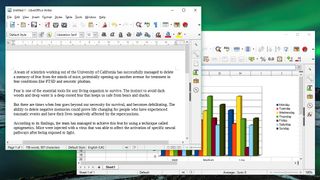
LibreOffice is so good, you'll wonder why you ever paid for office software. It's compatible with all Microsoft document formats, and has almost every feature you'll find in the latest versions of Word, PowerPoint and Excel.
The suite contains six programs to cover every common office task: Writer, Calc, Impress, Draw, Math and Base. The last three are tools you won't find in many other free office suites, and are designed for vector diagrams, mathematical functions and databases, respectively. The latter is particularly useful; free alternatives to Microsoft Access are hard to find.
LibreOffice is an open source project maintained by a huge and enthusiastic community of volunteers constantly working to improve stability and add new features. There's a great selection of extensions and templates to make it even more flexible, and it's free for businesses as well as home users.
LibreOffice is a fork of Apache OpenOffice, and the two are extremely similar, but we’d opt for LibreOffice thanks to its more frequent update schedule and more modern interface.
LibreOffice is available for Windows, Mac and Linux, but there are no official mobile versions available except for a document viewer for Android.
Provided you have a stable internet connection, Google offers an excellent free office toolkit
For working across platforms and sharing documents, Google's excellent collection of online office apps is hard to beat
If you work collaboratively, or switch between a PC and a Mac, Google Docs, Sheets and Slides should be your first port of call.
For anyone who's already deep into the Android/Google ecosystem, this suite will be a natural choice. The three key tools run happily in any web browser, and are available as mobile apps for Apple and Android devices.
Google's free office suite doesn't offer the advanced tools you'll find in desktop software like LibreOffice (there are no pivot tables, for example, and there's no database tool) but everything is laid out in a clear, logical way and all your files will be saved and synced automatically so you don't have to worry about transfers and backups.
The chief disadvantage of Docs, Sheets and Slides is that opening files created using other office software is a cumbersome process and files aren't always converted perfectly.
This is partly because Google's office tools use web fonts rather than ones stored locally on your device, and partly because Microsoft documents sometimes contain features not supported by Google. If that's a deal breaker for you, read on...
Like the look of Google's suite, but need native support for Microsoft documents? Office Online is for you
Microsoft is taking the fight to Google with slimmed-down versions of all its usual applications, available to use free online
Microsoft's desktop software carries a subscription fee, but the company has noticed the threat posed by G Suite and created its own set of free online apps.
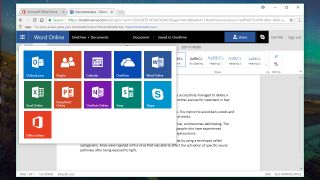
Microsoft Office Online looks and works just like its desktop equivalent, and although advanced tools like pivot tables are out of reach, but aren’t offered by Google either.
If you generally use Microsoft document formats, Office Online is a brilliant choice. Unlike Google's free office suite, it doesn't need to convert your files before you can work on them, and you can share them easily through your Microsoft OneDrive account. Just log in using your Microsoft account (the same one you use to log into Windows 10) and you're ready to go.
There's a version of Office Online for Chrome, plus mobile editions of Office for iOS and Android.
Each application in WPS Office Free has a ribbon-based design very similar to Microsoft Office
A feature-packed free office suite for Windows, Linux and Android
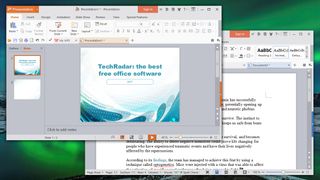
WPS Office Free is a slimmed down version of a premium office suite, but you'd hardly know it. Each of its three programs looks just as slick as the latest versions of Word, Excel and PowerPoint, and is packed with just as many features.
File format support is excellent, and you can save your work in native Microsoft formats for easy sharing with Office users. There's no database software, but WPS Office comes with an excellent free PDF reader that's a great replacement for Windows' built-in app.
There's the occasional ad, but these are few and far between. They certainly won't get in the way of your work, and you'll easily forget that everything in this suite is completely free.
There are versions of WPS Office Free for Windows and Linux systems, as well as apps for Android devices, but Apple device users will need to look elsewhere.
If you find Microsoft Office's ribbon interface awkward to navigate, you'll like SoftMaker FreeOffice's more straightforward approach
A free version of a premium suite, with most pro features intact
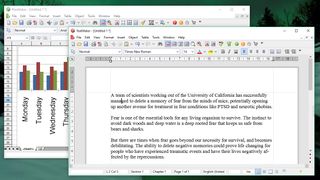
Like WPS Office Free, SoftMaker FreeOffice provides analogs for Microsoft Word, Excel and PowerPoint (TextMaker, PlanMaker and Presentations respectively).
As with all the free office suites in this roundup, there's support for Microsoft file formats from 1997 onwards. It also offers effortless conversion to both PDF and Epub formats, which is a welcome addition.
Unfortunately, some key features are exclusive to the premium version of the software. Some of these (like tabbed browsing) are nice to have but non-essential, but the lack of a thesaurus is a real drawback for anyone who writes on a regular basis.
FreeOffice doesn't look quite as smart as WPS Office, but if you dislike the Microsoft ribbon and find it unintuitive then you'll prefer the slightly more old fashioned approach to navigation.
When browsing the web, most people know the basics of protecting themselves – don’t enter your Social Security number into random popups that ask for it, only enter your credit card information on secure sites and keep your passwords unique and unpredictable.
But smart home technology is a different story.
The smart home industry is estimated to reach $53 billion by 2024, with millions of people implementing smart lights, personal assistants and other devices into their day-to-day lives. These devices rely on knowing your personal routines to provide countless benefits, from convenience and comfort to cost and energy savings. But how much information do they really need? And how much information should you share with your home devices? Here’s a guide to ensuring your home’s wireless security can’t be outsmarted.
Take Stock of Your Connected Devices
On Nov. 15, 2017, security companies revealed nearly 20 million smart home devices like Amazon Echo and Google Home were vulnerable to attack due to an exploit called BlueBorne. The massive 2016 cyberattack that brought down Twitter and Netflix for a day was orchestrated with over 100,000 hijacked smart home devices. The attack was a nuisance, but what if hackers had stolen the payment information stored on those devices?
The first thing to do to protect yourself is to recognize the areas in which you’re vulnerable. All gadgets, utilities, voice assistants and tablets that connect to the internet should be secured. One way to streamline this process is to integrate all devices through a smart home hub, so that you can manage everything in one place. Your internet service provider can help set this up.
Install Updates as Soon as They Become Available
One of the easiest ways for a malicious hacker to gain access to devices is through outdated software. When an update for the operating system or firmware of one of your smart home devices becomes available, install it right away. You should also keep the apps you use to run these devices up to date, along with the operating system of your smartphone.
Make this process easier by enabling automatic updates whenever possible. Just keep in mind that some devices may require you to press a physical button on the device to complete the update. Make it part of your routine to check for updates once each week. While up-to-date software doesn’t guarantee protection, it does eliminate potential vulnerabilities.
Change Your Wi-Fi Network Name
While most hacks (like most break-ins) are crimes of opportunity, you can avoid making yourself a target by changing your Wi-Fi name. Most people use a network name like “Mark’s Home.” A name like this is not only kind of boring, but it also pinpoints exactly which house is providing the Wi-Fi connection.
Change your Wi-Fi name to something obscure or whimsical. Some potential names are “Black Pearl Wi-Fi,” “Ici C’est Paris” and “HeWhoMustNotBeNamed.” These names are fun and easy to give to guests and keep your home’s connection anonymous.
Use a Unified Threat Management (UTM) Appliance
A UTM appliance sounds more complicated than it actually is: this device monitors your home network for intrusions and then implements security measures to keep your data safe. Most UTMs also include antivirus protection for the network at large, even though viruses are not (yet) a problem for smart home devices.
More expensive UTM options provide fully staffed monitoring stations that investigate unusual activity on your network. These devices function much like monitored security cameras; if something out of the ordinary happens, you’ll be contacted so that proper countermeasures can be taken.
Pay for Quality
A simple truth of the technological world is that you often get what you pay for. While buying from brand names may carry a slightly higher price tag, it often brings better quality. If you purchase a third-party alternative (for example, one of the Amazon Echo clones) with limited documentation, you have no way of knowing what types of network security the device has.
When you ping a voice assistant with a query, the information is transmitted back to the central servers to be processed, and then an answer is sent back to you. Make sure the data is going to a company you trust.
Turn On Strong Authentication
Strong authentication – often referred to as multi-factor authentication (MFA) – does more for your security than nearly any other step you take. If possible, enable strong authentication for your financial institutions and any devices that have access to monetary transactions or other personal information. Strong authentication tools include biometrics (a fingerprint or face scanner), security keys or a unique, one-time code through an app on your mobile device.
Even if someone gained your username and password, it’s far less likely they would have access to one of these additional authentication measures.
Secure Your Information in the Age of the Internet of Things
The Internet of Things has just begun. Prices are dropping, and smart home technology is becoming more accessible. Like the growth of personal computers, more and more people will implement technology that streamlines their lives and provides new levels of convenience. Just make sure to take the time to secure these devices. While being able to order a Lyft as you walk out the door is a dream come true, someone hacking into your Google Home device and stealing the payment information stored there is a nightmare.
Thankfully, smart home security is simple to implement. Update your devices, enable MFA, use smart security practices and work with service providers you trust. You’ll stay smarter than these gadgets, and they’ll continue to make your life easier instead of more difficult.
A 2017 Identity Fraud Study by Javelin Strategy & Research revealed that nearly one in three consumers notified that their data has been breached become victims of identity fraud. With the recent Equifax cyberattack still fresh in our minds, more than 145 million Americans’ names, addresses, birthdates, Social Security numbers and other sensitive information may be at risk.
Cybercriminals are crafty and continuously looking for ways to steal your personal information. The Internal Revenue Service (IRS) indicates that phishing schemes continue to lead its “dirty dozen” list of 2017 tax scams. So what is the average American to do? The National Cyber Security Alliance (NCSA) and the Identity Theft Resource Center (ITRC) have once again joined forces to help consumers keep safe during tax season with tips for identifying cyber scams, actionable online safety steps and what to do if you fall victim to tax identity theft.
Watch the tax identity theft webinar replay co-hosted with the Federal Trade Commission:
https://youtu.be/9U0Tgza74A8
“Cybercriminals love tax season. The enormous amounts of valuable personal and financial information that are
shared online during this timeframe make it a haven for hackers. Since most Americans are filing their taxes,
deadlines are looming and the cyber thugs are doing everything they can to take full advantage of the opportunity.”
RUSS SCHRADER, EXECUTIVE DIRECTOR, NATIONAL CYBER SECURITY ALLIANCE