Equifax Identifies 2.4 Million More Affected by Massive Hack

The company's forensic investigation revealed the new identities on top of the 146 million affected in the attack that exposed victims' personal details, including names, birth dates and social security numbers.

"This is not about newly discovered stolen data," said Paulino do Rego Barros, who took over as interim chief executive last year at the scandal-hit credit agency.

"It's about sifting through the previously identified stolen data, analyzing other information in our databases that was not taken by the attackers, and making connections that enabled us to identify additional individuals."

Equifax said the newly identified consumers were not previously informed because their social security numbers -- which appeared to be the focus of the hackers -- were not stolen together with their partial driver's license information.

Equifax said it would notify these consumers and will offer identity theft protection and credit file monitoring services.

The Atlanta-based company, which tracks consumer financial data to help establish credit ratings, is now facing state and federal investigations as well as class-action lawsuits over the breach.

While the breach was not the largest in history, it has been considered among the most damaging because of the sensitive information held by Equifax and the potential for that data to be used in identity theft or other crimes.

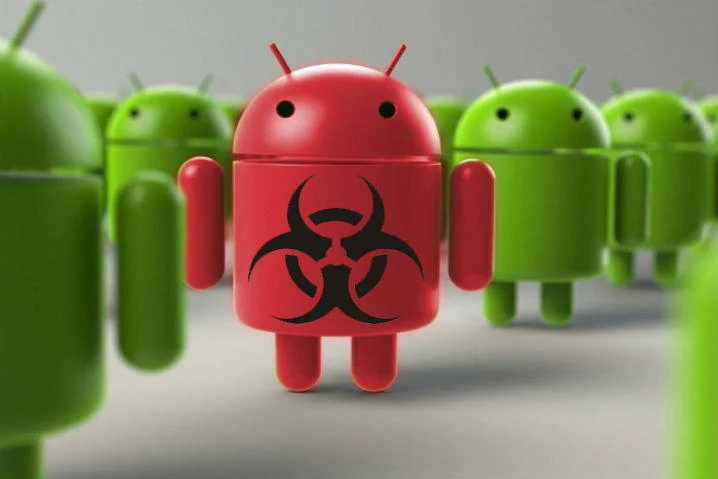
Creepy New Android Malware Can Secretly Record Conversations & Steal Your Photos

RedDrop wants your files, but not the way that most of today's malware does. It's not out to encrypt your files and force you to fork over a payment in order to unlock them. Instead, RedDrop wants to steal all the information it can from your phone..

Researchers at U.K.-based Wandera say that RedDrop targets sensitive data like your contacts and photos. It also gathers information about your phone, from the apps you have installed to the WiFi networks you're near. The most frightening thing about RedDrop, however, is that it can hijack your phone's microphone.

That allows it to eavesdrop on conversations you -- or anyone else -- might be having near the infected device. A lot of that audio won't be of any value, but something sensitive is bound to come up eventually. Confirmation codes for banking or transaction details, for example.

Even if that never happens, RedDrop has a backup plan for making money off its victims. It racks up charges by stealthily communicating with a premium-rate SMS system. Messages are erased from the infected phone as soon as they're sent, making the malicious activity that much harder to track.

RedDrop's creators have cast a wide net. Wandera has already discovered more than 50 Android apps infected with the Trojan. Fortunately, they're all being served from third-party app stores based in China. Worryingly, Wandera says that "RedDrop is one of the most sophisticated pieces of Android malware that we have seen in broad distribution."

If you stick to installing apps from Google Play, you don't need to worry about RedDrop eavesdropping on your conversations or stealing your files. Not yet, anyway. Malware authors do manage to avoid detection by Google every now and then, so it's important to not let your guard down.

Security and Privacy Tips for Cryptocurrency Holders

The cryptocurrency trend is definitely a big boom in today’s financial market. More and more people are starting to treat digital currencies seriously, as they are now a great alternative for managing your personal and professional budgets. And because the stakes are getting higher, there is an increasing need for cybersecurity measures.

If you’re a cryptocurrency holder, you probably love what you’re doing. You’re grateful because you have the opportunity to invest, trade and save a lot of money by leveraging your digital coins.

However, what would happen if one day all your coins were gone? You’d likely blame the hacker at first, but it is partially your responsibility to protect your investments.

Here are some security and privacy tips that will add a significant layer of protection to your cryptocurrency funds.

1.    Secure Your Wallets

The first and most important way to protect your digital currency is to choose a secure wallet. That means you should find a company that offers more security measures than the “normal” wallet providers do. For example, wallets that use encryption to protect the private keys can be much better and safer. Moreover, you can encrypt your data using different crypto encryption providers.

2.    Secure Your Devices

It takes just one security vulnerability for your PC, mobile or tablet to be hacked. I’d suggest you take advantage of a premium antivirus, set your firewall settings to maximum security and take advantage of an antispyware software to regularly check for malicious software. You can also consider using a secure operating system.

3.    Back Up All Your Crypto Data

Your crypto data is really the most important element of your entire operation. If you ever make the mistake of not backing up your data, you’ll regret it forever. When your PC gets hacked, or when your laptop gets physically stolen, you can always buy another one. However, when a hacker steals all your cryptocurrency funds because they’ve gained access to your data, you’re in a sticky situation. To avoid this, store your crypto data in an offsite place. Use a colocation server, a thumb drive and an encryptedexternal disk.

4.    Dedicate One Device to Cryptocurrency Only

The best way to add an extra layer of security to your cryptocurrency wallets is to base all your cryptocurrency activities and operations on a single device. You should have a personal PC/phone and a cryptocurrency PC/phone.

Do your best to keep your work device as private as possible by using dedicated IPs and private servers that keep your location, name and activity anonymous.

5.    Don’t Keep All Your Funds in One Wallet

Most of you know the saying “don’t keep all your eggs in one basket”. This advice is actually very concrete and worth following when it comes to our cryptocurrency operations.

That is why you should have two digital wallets that serve different purposes. Through the first wallet, called the “hot wallet,” you will perform all your trading and transactions. The other wallet is called the “cold wallet” or the “cold storage,” and it is the wallet that stores your savings. Back up both your wallets’ private keys and store them offline.

6.    Avoid Public Wi-Fi

Public Wi-Fi is definitely a no-no for all cryptocurrency holders that want to keep their funds safe. There are many hackers that attack their victims through public Wi-Fi, so you must pay a lot of attention whenever you connect to the web using your phone, laptop or tablet.

Better, don’t connect if you’re not sure. Moreover, make sure that you don’t lend your phone to unknown people. If you’re a student who lives on campus, do not lose sight of your smart devices.

7.    Regularly Look for Intrusions

When you install a clean version of an operating system, you will be able to note the default programs that run in your Task Manager under Processes. Note down that list and know the number of processes that your PC usually opens.

Great hackers are always working silently. They might have infected your PC already and be waiting for the perfect moment to strike. That’s why you should regularly check for new processes that start when your PC starts. If you find something unwanted, you should take action and remove it immediately.

8.    Enable Strong Authentication

If your wallet allows it, enabling two-factor (strong) authentication is absolutely essential to your crypto security. Strong authentication provides an extra layer of security beyond your username and password to protect against account hijacking. 

9.    Use Your Common Sense and Stay Safe Online

Lastly, yet most important, you should always use your common sense to stay safer online. Whenever you have suspicions about a link, email, invitation or process that runs under your Task Manager, it’s to better follow your instincts and use common sense.

Takeaways

Securing your cryptocurrency funds is probably the most important thing that should concern your mind right now. Unless you believe you’re super protected, start taking action and dedicate your time to optimize the level of protection of your crypto operations. Good luck and stay safe!

Chip-and-PIN Card Tech Lead to 70% Drop in Counterfeit Fraud

The introduction of chip-and-PIN card technology in the United States improved in a significant way the security of merchants and has reduced payment card fraud.

The cases of counterfeit fraud had dropped by 70% in September 2017 compared to December 2015 thanks to the diffusion of the diffusion in the storefronts of payment systems for EMV cards.

“For merchants who have completed the chip upgrade, counterfeit fraud dollars
EMV chip cards and chip-activated merchants combat counterfeit fraud in the U.S.
December 2017 Visa Chip Card Update in September 2017 compared to December 2015″ states VISA.

The process started in 2011 with the introduction of EMV (Europay, MasterCard, Visa) card technology in the United States.

The process was very slow, according to Visa, by September 2015, only roughly 392,000 merchants were accepting payment card using the new technology. at the same period, the number of Visa debit and credit cards using the EMV technology was only at 159 million.

Now Visa has shared data related to the adoption of the EMV technology by December 2017. The number of storefronts that currently accept payments with chip cars has reached 2.7 million in the U.S. (+570%), representing 59% of the total.

The number of Visa payment cards using EMV technology increased passed from 159 million to 481 million (202%), with 67% of Visa payment cards having chips.

It is an excellent result, according to VISA Chip transactions continue to increase in the US. EMV cards accounted for 96% of the overall payment volume in the United States in December 2017, with chip payment volume reaching $78 billion.

Cybercriminals have responded to the adoption of EMV chip cards focusing their efforts on card-not-present (CNP) fraud had that is today a serious concern for merchants.

How to Stay Safe Online While Studying

Education today is tightly connected with the use of the internet. Students (and teachers, for that matter) spend many hours online in search of educational materials, inspiration for writing research papers and preparation for tests. The internet may be an excellent source of information, but, coincidentally, it is also a threat to your security. One misstep, and your PC is going to be a cesspool of malware and bitcoin miners, not to mention you may get your personal information stolen and ransomed. Recent Petya and WannaCry outbreaks are a clear indication of things that may come. So how can you stay safer online while studying and in general?

Constantly Update Your Operating System (OS) and Antivirus

The first and most obvious rule of your data safety is a reliable password. Keyloggers are a massive threat to users and are here to stay, and hackers have stolen sensitive information many a time. But, thankfully, there’s a way to generate and store strong passwords in the cloud using a password manager, or think of something that doesn’t belong to the usual “qwerty” group of passwords. Make your password a sentence that’s at least 12 characters long – you can use upper- and lowercase letters, numbers, symbols, punctuation and/or even spaces! Don’t reuse a single password for other account services you have. That should do the trick.

On a related note, don’t forget to regularly back up sensitive information and encrypt your data.

Constantly Update Your Operating System (OS) and Antivirus

It’s vital to remember that the OS is the crux of your PC. You should consider opting in for automatic OS security updates; it’s arguably the most effective way to protect your computer. Your firewall or antivirus of choice also need to be constantly updated, but the majority of anti-virus software comes with that functionality out of the box.

To reiterate, ensure that your operating system is configured to automatically receive security updates, and do not forget to apply new settings by restarting your computer after the update has taken place.

Think Twice Before Clicking On A Link

Did you know that Google identifies thousands of malicious websites every day? These sites include hacked sites and portals that were effectively created to distribute malware. While browsing lesser sites in search of materials to source you may also encounter the “annoying popup” – as in windows that have a nasty habit of appearing whenever you least expect them. Some of them can ask to take a certain action and may even block the ability to close the browser window at will. Always be wary of the links and banners you see. As a side note, never forget to hover over the link to preview its full address. Many attack sites prey on the likelihood of the average user misreading the URL and landing on a site that looks like the one they intended to visit, but in fact is just playing pretend.

Avoid File-Sharing Sites and Pirated Software

I’m not here to judge or speak about morality. We all have our reasons to use or not to use them, but in terms of security, your best bet is to never come close to file-sharing sites in order to obtain software. (Unless they’re officially condoned by developers or are well established like CNET). If you’re still willing to take risks, you should at least take some precautions. General rule of thumb is to read user comments before downloading. Remember that many modern popular file-sharing services allow for a fairly accurate rating system. It will help you get a clear picture of the files you’re about to download need. Only trust reliable websites.

Be Careful When Using Wi-Fi Hotspots

Most people (me included) are happy to use free Wi-Fi hotspots. However, before connecting to any, you need to make sure that the name of the Wi-Fi network (SSID) belongs to an acceptable source. Do not connect to random, unprotected Wi-Fi networks. This increases the risks of your data security. If possible, use a mobile VPN. It will allow you to work in a separate secure private network, even with a public connection.

Watching your back is a good starting point. However, digital scams get more inventive by the minute, and there’s no way of knowing what’s in store in the future, especially given how Spectre and Meltdown came around.

Whatever you do, it is important to take basic precautions – generate reasonably strong passwords and don’t reuse them. Keep every piece of software current with updates, and you may also want to occasionally backup your data to the cloud or a physical device and encrypt it. If you think that there is no sensitive information to hack on your PC, do not let your vigilance be lulled. You will not only become a part of a sad statistic but also contribute to the established lack of security on the internet.