Being a parent is hard, especially when you have to keep up with the growing list of technological changes affecting your children. In between chauffeuring kids to soccer practice and staying on top of their grades, there’s little time to research online threats, but computer viruses, ransomware and identity theft happen to children every day. Although it may seem that malware attacks and cybercrime live in the adult world, cyber thieves regularly target children and teens where they’re most active – chat rooms, social media, video streaming sites and online video games. Children are good targets because they may have high levels of trust in people and low levels of knowledge in cybersecurity.
Being proactive and staying educated on the current cybersecurity risks facing kids and teens in today’s digital world goes a long way to keeping them safer online. Parents who understand the biggest risks and educate their children are more likely to shut down cybercriminals before they ever have a chance to strike. Below are some of the top cybersecurity concerns every parent should understand in 2018.
Anonymous Sharing
Anonymous sharing is popular among tweens and teens. Apps like Snapchat allow users to post images and messages that only show up temporarily and then are removed. But nothing on the internet is temporary. Cyber thieves and bullies can easily take screenshots and photos of information and images before they disappear.
Popular apps like Whisper keep a user’s identity unknown, while others like Anomo start you off as anonymous but let you change your settings over time. If your adolescents want to share anonymously, they may choose apps like After School, which is developed specifically for teenagers and includes resources for counseling, scholarships and social campaigns.
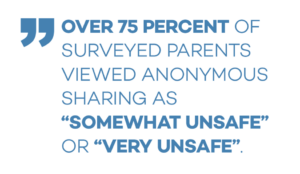
Over 75 percent of surveyed parents viewed anonymous sharing as “somewhat unsafe” or “very unsafe.” It’s a legitimate fear. Although anonymous sharing can promote healthy and open expression for users, it can also make it easier to overshare information. Before letting your child use anonymous sharing apps, discuss what information is safe to share with your child. Kids should be wary of any messages containing links or attachments, which could contain malware or lead to phishing websites.
 Direct Messaging
The majority of social media sites have direct message features for connecting with friends, family and strangers. Direct messages are popular with cyberthieves who place links directing to phishing sites and harmful downloads. Here are the warning signs and how to avoid these schemes:
- Avoid clicking on messages with an unusual amount of typos and misspellings, wrong subject-verb agreements or unusual punctuation marks.
- Messages asking for personal information like passwords, SSNs, credit cards or PINs. No legitimate social media site will correspond with its users about these topics through direct message.
- Be extremely skeptical of messages claiming your account will be locked or deleted unless a specific action is taken.
- Don’t click links that are mismatched from their descriptions. Hover over a link with your cursor and check the status bar at the bottom of your browser window. Make sure the status bar address matches the intended destination. Both addresses should match for any type of link, whether in direct messages, emails or browsers.
Practice these cybersecurity habits with your children. Visit sites like scam-detector.com and show your kids common ways cybecriminals spread viruses via direct messages on Twitter, Facebook and other social media networks.
Email Attachments and Links
Social engineering is a powerful way for cyberthieves to trick children into infecting their own devices or revealing personal information. Sit down with your kids and show them how you check your emails. Even have them send you one themselves with a message and an attachment like a picture.
Explain and demonstrate how a phishing email works and their telltale signs. Send your child an email with a “bad” mismatched link you made up. Show them how to hover the cursor over a link to reveal its true destination on the web. Most importantly, explain why you never open an email attachment from an unknown source. If you can’t confirm the source, delete the attachment.
Video Streaming Sites
The world of television programs and cable networks, familiar to many parents, has given way to online celebrities and YouTube videos for their children. Everyday, YouTube users watch over 1 billion hours of videos. All of this traffic draws the attention of scammers and cyberthieves looking to hack the system for profit.
For video sites like YouTube, cyber threats come not from streaming videos but from other parts of the platform. While your child can’t get a virus while watching a YouTube video, they can click on a link in the comments section, an ad or a video description and infect your device with malware.
Take these preventative measures to protect your devices from infection:
- Get them familiar with how YouTube works. Show them the problem areas: where the comments section lives, what video ads look like and where links in video descriptions are inserted.
- Enable YouTube Restricted mode, which will filter out inappropriate content and hacking schemes like the one above.
- Consider downloading the YouTube Kids App, which helps you control their content through it. Some features, like the comments section, can be turned off completely.
Videos will only get more and more popular for both children and cyberthieves. Get ahead of cyberattack trends by educating your family on current threats within video platforms.
Online Video Games
Kids love video games, especially those that let them share their experiences and creations with others. Almost every video game today has some type of social component built in, whether it’s direct messaging or chat. Minecraft and Roblox are just two examples of popular user-generated online games that let kids build worlds and share them with others.
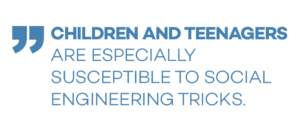 While such games are good for building imaginations and relationships, they’re also the playground for hackers. Like YouTube, cyberthreats on the websites aren’t the problem. That is, you can’t get a virus just from playing Minecraft, League of Legends or Roblox. You get it when you leave the game’s website and land on another, and thieves use social engineering tricks like the following to lure kids away:
- Pop-up ads or chat links offering free coins, avatars, skins and upgrades. Once clicked, the ad or link takes them to a website that requires them to download an executable file. When opened, the program infects the computer with malware designed to steal data, which can include your banking formation and account passwords.
- Fake login schemes use pop-ups within the game to tell the player they must provide their username and password to continue. Sometimes the pop-up claims the site is “under maintenance” as a social engineering ploy to steal a player’s account and lock them out.
- Hackers use botnets to send spam and fake ads to millions of players, asking them to visit websites for free stuff. The botnet is designed to run a fraudulent ad scheme, which relies on more views and clicks to make the hackers money.
Here are some tips to help your child avoid phishing scams on video games:
- If the game allows, set your child’s chat options to “friends only.”
- Teach your child the “no free lunches” lesson. Drill the point home that if it sounds too good to be true, it probably is. The old adage should be the mantra for any parent warning their child about online “free” offers.
Cyberattacks can rob you of your personal data and your child of their hard-earned accounts. Keep the fun going by teaching your child the common tricks hackers use on video game websites.
Be Proactive, Not Reactive
Set Up Parental Controls
Keep your kids safe and consider executing a multi-layered approach to parental controls, starting with the devices themselves.
- Set up parental controls for your devices: Windows and/or Mac
- Set up parental controls for web browsers. For Chrome, you can create a supervised profileto monitor and block any content they visit. Firefox has many different add-on extensionsfor similar purposes.
- Set up parental controls for all of the apps your kids can access. You can set their Facebook privacy settings to “Friends Only” and block specific content for their YouTube channels.
Setting up a multi-layered approach will create redundancies of protection — if one layer of protection fails, the others will still work.
Protect Your Child’s Passwords
You child’s password to their social account is like gold to a cyberthief. With their password, cybercriminals can take over the account and use it to post fake news, spam others with messages or create fraudulent ads. Help your kids create passwords and keep record of the passwords in case you need access yourself. Here are some strategies for creating secure passwords:
- Find a balance between complexity and memorability. Creating longer passwords makes them more secure, but make sure your child can remember them.
- Make your password a sentence – you can use upper- and lowercase letters, spaces numbers, punctuation and more.
- Turn on strong authentication for apps that allow it. Strong authentication – sometimes called 2-step verification, multi- or two-factor authentication, or login approval – provides an extra layer of security beyond your username and password to protect against account hijacking.
- Consider using a password manager that will do the remembering for you.
Your child’s password is the key to their social media privacy and their account. Keep them safe from cyber thieves by creating a secure password.
Get Antivirus Protection
Downloading and installing a comprehensive antivirus protection software will actually solve many of the problems outlined in this guide. From helping avoid malicious links to managing your passwords, antivirus software will keep your data confidential, your identity safe, your devices virus-free and your children better protected from harmful content.
Many major antivirus protection plans offer free downloads that provide some basic protections.
Consider Cybersecurity an Investment
Like insurance, cybersecurity is something you avoid thinking about until you need it. But when disaster happens, you’re always glad it’s there. Stay ahead of the growing threat of cybercriminals and evolving malware by taking the time to invest in the things that work: educating yourself and your children, practicing good online habits, keeping your devices up to date and getting a comprehensive antivirus software system.