
Did you spend thousands on a brand new PC just a few years ago yet it's constantly running slow and freezing on you? We won't bore you with the  details of why this is happening, but you may find it only takes a few simple steps to make your Windows computer run faster.
Delete any Programs you do not use - Go to Control Panel, then click Add or Remove Programs to find a master list of programs installed on your computer. Scroll down the list and select the program you want to remove, then click the Uninstall button at the top of the window. Remember you want to delete only programs you don't use.
details of why this is happening, but you may find it only takes a few simple steps to make your Windows computer run faster.
Delete any Programs you do not use - Go to Control Panel, then click Add or Remove Programs to find a master list of programs installed on your computer. Scroll down the list and select the program you want to remove, then click the Uninstall button at the top of the window. Remember you want to delete only programs you don't use.
Defrag your hard drive - Essentially, this will optimize your hard drive so you can retrieve files faster. To defrag in Windows 7, click the Start button > All Programs > Accessories > System Tools > Disk Defragmenter > Defragment Now. You should defrag every month or two.
Prevent unnecessary programs from starting when the PC boots up - In Windows 7 type msconfig in the Start menu Search bar. Click the Startup tab in the System Configuration window and deselect any programs you don't want to launch at startup. Press Apply, OK.
Run Disk Cleanup - This saves space by deleting temporary files, unnecessary system files, and emptying your recycling bin. Click My Computer > right-click Hard Drive > Properties >Disc Cleanup (within the General tab). A window will pop up asking which files you'd like to remove. Check those you wish to delete and run the cleanup.
Change the power plan of your PC to High Performance - Go to the Control Panel and select Power Options. You will find a list of power plans, usually Balanced, Power Saver, and High Performance. Selecting High Performance may increase the speed and overall performance of your computer but will reduce the battery life of your laptop.
Restart your computer - This can temporarily speed up a slow computer by refreshing the memory. Restart, or completely shut down the computer, wait a few seconds, and then turn it back on.
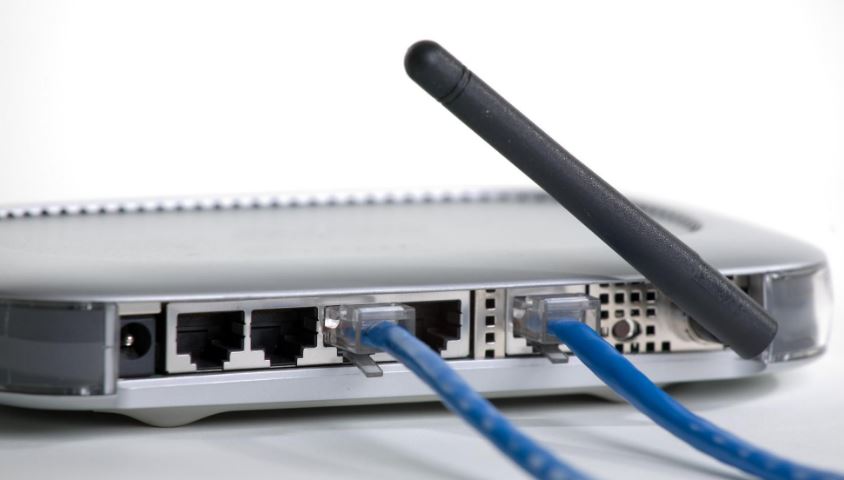 d backdoor accounts, expose legacy services and have firmware that is riddled with basic flaws. Below are some helpful tips that will make your home or business network much more secure.
Avoid using routers supplied by ISPs. These routers are typically less secure than those sold by manufacturers to consumers. They often have hard-coded remote support credentials that users can't change and patches for their customized firmware versions lag behind patches for the same flaws released by router manufacturers.
d backdoor accounts, expose legacy services and have firmware that is riddled with basic flaws. Below are some helpful tips that will make your home or business network much more secure.
Avoid using routers supplied by ISPs. These routers are typically less secure than those sold by manufacturers to consumers. They often have hard-coded remote support credentials that users can't change and patches for their customized firmware versions lag behind patches for the same flaws released by router manufacturers. rivate security cameras!
If you're able to check your cameras from outside your home or business, the system is vulnerable. It’s alarmingly easy for an IP camera to be hacked so make sure to take the below precautions as your Businesses' or family's privacy could be at risk.
rivate security cameras!
If you're able to check your cameras from outside your home or business, the system is vulnerable. It’s alarmingly easy for an IP camera to be hacked so make sure to take the below precautions as your Businesses' or family's privacy could be at risk.